
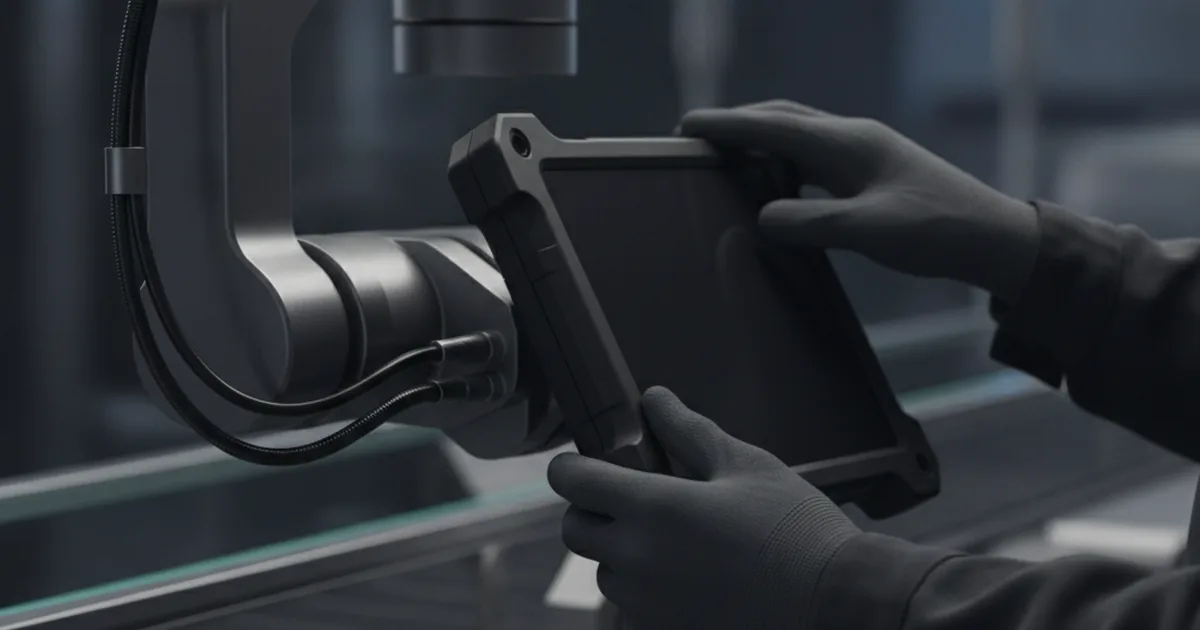
A mobile HMI on an iPad makes sense wherever the operator moves between machines or zones instead of standing at one panel. It needs a proper connection to the PLC layer (OPC UA or MQTT through an edge gateway), a ruggedized form factor or case for the shop-floor environment, and fleet management through Apple Business Manager. An off-the-shelf HMI app covers most cases; custom development is worth it only when the plant's protocol or workflow is non-standard.
Fixed HMI panels assume the operator comes to the machine. On plenty of production floors that assumption no longer holds — roving inspectors, mobile maintenance crews, and operators responsible for several machines spread across a line all need the same alarm, trend, and control data a stationary panel shows, but delivered wherever they happen to be standing. A consumer iPad, once ruggedized and properly wired into the control network, increasingly fills that gap instead of a second fixed panel or a walk back to the control room.
The gap shows up most clearly when a plant needs something a catalog HMI app can't do out of the box — a non-standard field bus, a tight handshake with an existing MES or ERP system, or shift logic specific to one line. That's where an off-the-shelf app stops being enough and a custom-built iOS application, talking directly to the plant's OPC UA or MQTT layer, becomes the better investment. Building that kind of integration is exactly the work YuSMP Group does for manufacturers moving operator interfaces onto mobile hardware.
This guide covers what actually changes when you swap a fixed panel for a tablet, what the device needs to survive the environment, how it talks to the PLC layer, what ISA-101 says about designing for a small screen, and how to manage a fleet of shared devices across shifts.
What Counts as a Mobile HMI?
A mobile HMI is any human-machine interface that runs on a device the operator carries, rather than one bolted to a machine or wall. That distinguishes it from two adjacent categories it's often confused with:
- Panel PC: An industrial computer with an integrated touchscreen, permanently mounted on or near the machine it controls. It is rugged by design but stationary by definition.
- SCADA terminal: A workstation — fixed or occasionally a laptop — used by a supervisor or engineer to view and configure the broader control system, usually from a control room rather than the line itself.
A mobile HMI running on a tablet sits in between: it shows the same real-time process view a panel PC would, but it is designed to move with the person using it. That mobility is the entire value proposition — and it is also the source of every extra requirement covered below.
Fixed Panel vs Tablet: What Actually Changes
Swapping a fixed panel for a tablet is not a cosmetic change. It shifts coverage, cost, and failure modes in specific, predictable ways:
| Factor | Fixed Panel | Tablet HMI |
|---|---|---|
| Coverage | One machine or zone per unit | One device follows the operator across machines/zones |
| Upfront cost per point | Higher — dedicated hardware per location | Lower per point, but needs MDM and case/sled spend |
| Points of failure | Hardware failure takes out one location only | Wi-Fi coverage gaps, battery, and device loss/damage are new risks |
| Environmental rating | Built into the enclosure from the factory | Added via a rated protective case, not native to the device |
Environmental and Ruggedization Requirements
A bare consumer tablet is not built for a production floor. Dust, washdown water, oil mist, drops onto concrete, and temperature swings near ovens or freezers all exceed what a standard iPad is rated to handle. The baseline reference for enclosure protection is IEC 60529, which defines IP (Ingress Protection) ratings on two axes — solids and liquids. Dry, dusty assembly areas typically call for IP54 or better; washdown food/beverage or wet-process environments usually need IP65 or higher.
In practice, this means pairing the tablet with a rated protective case or mounting sled rather than looking for a factory-rugged tablet that happens to run iOS — those don't really exist in the Apple ecosystem. The case also needs to preserve usability: a glove-friendly touchscreen cutout, a hand strap or shoulder sling for roving use, and a drop-rated bumper if the device will be clipped, unclipped, and occasionally dropped dozens of times a shift. Temperature range matters too — consumer iPads are rated for a narrower operating window than most industrial panel hardware, which can rule them out for direct placement next to high-heat processes without additional thermal protection.
Connecting the Tablet to the Line: OPC UA, MQTT, Modbus
An iPad never talks to a PLC directly. It sits at the top of the stack, consuming data that has already passed through a translation layer. The typical path looks like this: PLC (often speaking Modbus or a vendor-specific protocol) → edge gateway or OPC UA server → the tablet app, over Wi-Fi, using OPC UA or MQTT (frequently structured with the Sparkplug B payload schema for IIoT telemetry).
The gateway does the work that makes a tablet viable as an HMI client in the first place: it exposes a structured, secured interface instead of a raw industrial protocol, and it isolates the PLC network from a Wi-Fi-connected consumer device. This is the same architectural pattern used when modernizing legacy SCADA systems, covered in our guide on SCADA and HMI modernization — the tablet is just one more client sitting on top of that OPC UA layer, alongside fixed panels and the historian. For a deeper look at where that gateway logic physically runs, see our edge computing in manufacturing guide.
Designing for the Operator: What ISA-101 Says About Mobile HMI
ISA-101 (ANSI/ISA-101.01-2015) defines how a well-designed HMI should communicate process state: a muted, gray-scale base with color reserved for deviation states, a clear display hierarchy from overview down to detail, and navigation the operator can follow without hunting for information. None of that changes because the screen got smaller — but the smaller screen makes violations of those principles far more costly.
On a 21-inch fixed panel, a cluttered display is merely inefficient. On a 10-inch tablet held at arm's length, the same clutter makes the display unreadable at a glance — which defeats the entire purpose of situational awareness design. Practically, this means a mobile HMI should show fewer data points per screen than its fixed-panel equivalent, lean harder on the L1–L4 hierarchy so operators drill down rather than scroll, and reserve color exclusively for alarms so a yellow or red indicator is unmistakable even on a smaller, sometimes sun-glared screen.
Managing a Fleet of Shop-Floor iPads: MDM, Zero-Touch, Shared iPad
A handful of tablets shared across three shifts is an operational problem, not just a technical one. Apple's device-management stack, documented in Apple's official deployment guidance, addresses this directly through three pieces that work together:
- Apple Business Manager: The organization-level portal that assigns devices to an MDM server and links purchases to the company rather than an individual, so IT retains control even if a device changes hands on the floor.
- Zero-touch deployment: Devices enrolled this way configure themselves — app installs, network and Wi-Fi profiles, HMI app, restrictions — the first time they're powered on, with no manual IT setup per unit. That matters when a plant is provisioning twenty or more tablets at once for a fleet rollout.
- Shared iPad: A mode built specifically for devices used by more than one person. Each operator gets a separate, isolated profile — their own app data, settings, and sign-in — on the same physical hardware, so a shift handover doesn't mean carrying over someone else's session state or risk exposing their data to the next shift's user.
Together, these three pieces turn "a box of iPads on a cart" into a managed fleet: lost or damaged devices can be wiped and reprovisioned without IT touching each one by hand, and a single physical tablet can safely serve three shifts of different operators a day.
Off-the-Shelf App or Custom Build? Deciding When In-House Development Pays Off
Most plants should start with an off-the-shelf SCADA/HMI client app connecting over OPC UA or MQTT — it's faster to deploy, cheaper upfront, and covers the majority of standard monitoring and control use cases. Custom development earns its cost when one or more of these apply:
- The plant runs a non-standard protocol or proprietary data bus that off-the-shelf apps don't support without a costly middleware add-on
- The HMI needs tight, real-time integration with an existing MES or ERP system — not just a periodic data sync, but logic that reads and writes against that system live
- Shift, workflow, or approval logic is specific enough to the plant that generic HMI software can't model it without heavy configuration workarounds
In those cases, a native iOS app built specifically against the plant's OPC UA/MQTT layer and its MES/ERP APIs avoids the compromises of forcing a generic product into a non-generic workflow — and it's the kind of integration work that pays for itself once the plant has already outgrown what a catalog app can do.
Need a custom iOS application that talks directly to your PLC layer, MES, or ERP system? Discuss Your Project →
FAQ
- What is a mobile HMI?
- A mobile HMI is a human-machine interface that runs on a portable device — typically a ruggedized tablet — rather than a wall-mounted or machine-mounted panel. It shows the same process data, alarms, and controls as a fixed HMI, but the operator carries it between machines, lines, or zones instead of walking back to a stationary screen.
- Can an iPad replace a dedicated industrial panel PC?
- For many mobile-operator use cases, yes — provided it is paired with proper environmental protection (a rated case or sled) and a reliable connection into the control network via an edge gateway. An iPad is not a drop-in replacement for a panel PC that must be permanently embedded in a hazardous or washdown-rated enclosure; those applications still call for purpose-built industrial hardware.
- How does an iPad connect to a PLC?
- An iPad does not read PLC registers directly. It connects through an edge gateway or OPC UA server that translates PLC data (often Modbus or a vendor-specific protocol) into OPC UA or MQTT, which the iPad app consumes over Wi-Fi. The gateway is the architectural layer that makes the tablet a viable HMI client instead of a security and compatibility liability.
- What IP rating does a shop-floor tablet need?
- It depends on the environment, but most dry, indoor production areas call for at least IP54 dust and splash protection, while washdown or wet-process areas typically require IP65 or higher per IEC 60529. A consumer iPad reaches these ratings only inside a rated protective case; the bare device is not rated for shop-floor dust or moisture exposure.
- How do you manage a fleet of shared iPads on the factory floor?
- Through mobile device management (MDM) enrolled via Apple Business Manager, using zero-touch deployment so devices configure themselves on first power-on, and Shared iPad mode so multiple shift operators can sign in to the same physical device with separate, isolated profiles and app data.
- Is a custom app necessary, or does an off-the-shelf HMI app work?
- Off-the-shelf SCADA/HMI client apps cover the majority of standard use cases and are the faster, lower-risk starting point. Custom development becomes worthwhile when the plant runs a non-standard protocol or data bus, needs tight integration with an existing MES/ERP system, or has shift and workflow logic that generic HMI software cannot model.
- Does ISA-101 apply to mobile/tablet HMIs?
- Yes. ISA-101's usability principles — display hierarchy, muted color palettes with alarms reserved for deviation states, and consistent navigation — apply regardless of screen size, but a tablet's smaller viewport requires stricter prioritization: a mobile HMI should surface fewer elements per screen and lean harder on the hierarchy so an operator glancing at a 10-inch display still gets an unambiguous read of process state.
Sources: ISA, ISA-101 Human Machine Interfaces for Process Automation Systems; Apple, Apple at Work: Deployment and Management; IEC 60529 (IP ratings for enclosures).