
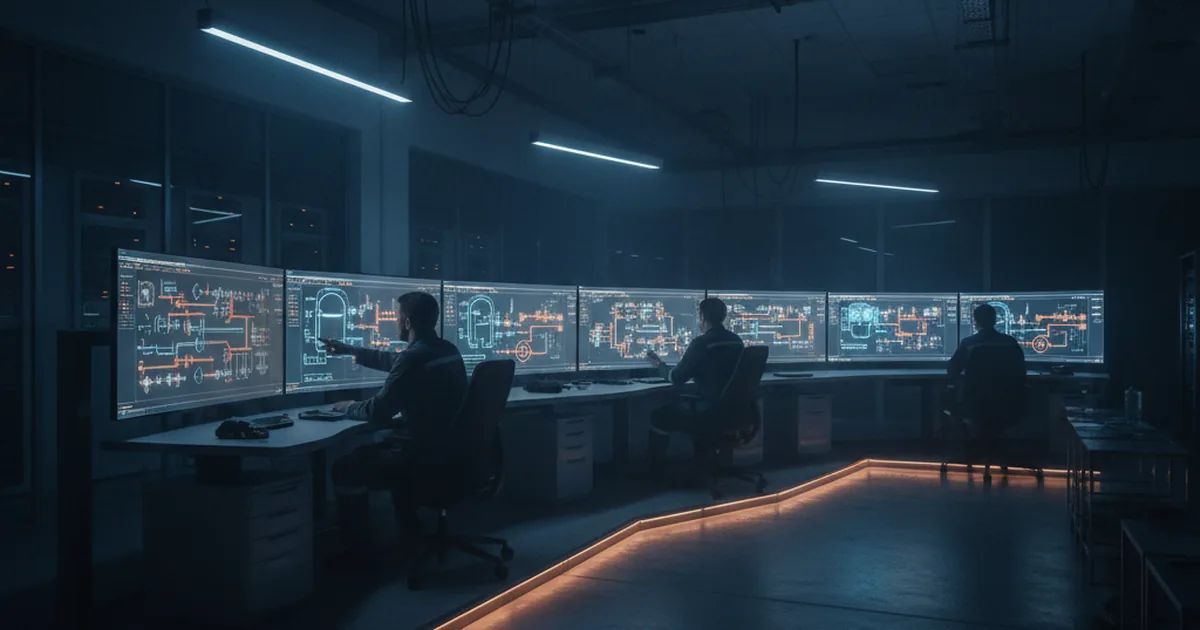
Legacy SCADA and HMI systems carry hidden costs that compound over time — from parts obsolescence and cybersecurity exposure to integration gaps with modern MES and cloud analytics. The overlay-first phased approach lets most plants modernize in 6–18 months without halting production. ISA-101 and OPC UA are the two standards that govern the result.
The average industrial control system in North America is over 20 years old. Many plants still run SCADA servers on Windows XP or Windows 7 — operating systems that have been end-of-life for years — alongside HMI panels whose manufacturer no longer stocks replacement hardware. For the engineers who maintain these systems, the daily reality is a patchwork of workarounds: stockpiled spare parts, vendor relationships kept alive through personal contacts, and integration attempts that stop at the historian because there is no modern API on the other side.
The question is no longer whether to modernize. The business case has been made by regulatory pressure (IEC 62443 compliance mandates), cybersecurity incidents targeting legacy OT networks, and the widening gap between what a 2006 SCADA system can share and what a 2026 MES or ERP demands. The question is how — and specifically, how to modernize without shutting down production. For plants that need custom SCADA and web-based operator interface development as part of their migration, the architectural decisions made in the first 90 days determine whether the project delivers in 12 months or stalls for three years.
This guide covers the full modernization lifecycle: why legacy systems become liabilities, the two migration paths (overlay vs. rip-and-replace), a concrete 5-step roadmap, ISA-101 design standards, protocol integration, and the ROI benchmarks you need to build the business case internally.
Why Legacy SCADA and HMI Systems Become a Liability
The Hidden Cost of "It Still Works"
The phrase heard most often in plants that haven't modernized is "it still works." This is technically true and financially misleading. A SCADA system running on a 20-year-old historian with a proprietary binary data format works — until the hard drive fails and you discover the replacement part was discontinued in 2018. It works — until your single remaining engineer who understands the system retires. It works — until your MES vendor tells you the only integration path is a CSV export scheduled every 15 minutes.
The real costs of legacy SCADA and HMI infrastructure accumulate in four areas:
- Parts obsolescence and maintenance labour: Sourcing replacement PLCs and operator panels from secondary markets adds 40–80% cost premium over list price — when the parts exist at all. Mean time to repair increases as institutional knowledge concentrates in fewer people.
- Integration gap: Legacy OPC DA and proprietary historians cannot expose the real-time data APIs that modern MES, ERP, and cloud analytics platforms expect. This means manual data entry, batch file exports, and decision delays measured in hours rather than seconds.
- Operator inefficiency: Static P&ID displays with no contextual alarm prioritisation and no mobile access force operators to physically walk the floor for status information that a modern HMI would surface in one screen tap. Studies of ISA-18.2 alarm rationalisation projects consistently find that legacy systems have 3–5× more nuisance alarms per shift than rationalised modern systems.
- Scalability ceiling: Adding a new production line to a legacy SCADA architecture often requires bespoke configuration work that takes months; the same operation on a modern tag-based or UDT-based system takes days.
Cybersecurity: The Accelerating Driver
For many organisations, cybersecurity has become the single fastest-moving driver of SCADA modernisation. IEC 62443, the international standard for industrial cybersecurity, defines security levels (SL 1–4) and zones-and-conduits architecture that legacy systems structurally cannot meet. A SCADA server running Windows XP cannot receive security patches. An HMI PC exposed directly to the plant network with no network segmentation between it and the corporate LAN fails IEC 62443's most basic zone definitions.
The consequences are documented: in 2024 and 2025, multiple water utilities, chemical facilities, and food manufacturers suffered OT intrusions that entered through unpatched legacy HMI systems accessible via VPN misconfigurations or remote access tools left installed by integrators years earlier. CISA's ongoing advisories consistently identify end-of-life OS on HMI hardware as a top contributing factor. For a detailed look at hardening the OT/IT boundary after modernisation, see our guide on OPC UA security and certificate management across the OT/IT boundary.
Two Paths to Modernization: Overlay vs. Rip-and-Replace
The Overlay (Phased) Approach
The overlay approach — also called the "keep-the-control-layer, replace-the-visualization-layer" strategy — is the right choice for most brownfield plants. The core insight is that the PLC and DCS control logic that runs your process is typically sound; it is the SCADA visualization layer, the historian, and the integration infrastructure that have become liabilities. By replacing only those layers, you eliminate the risk of touching validated control logic while still gaining modern cybersecurity, integration capability, and operator experience.
In practice, the overlay approach works as follows: a modern OPC UA server is installed as a data bridge between the existing PLCs and a new SCADA/historian platform. The OPC UA server reads from the legacy environment — using OPC Classic (DA/HA) adapters where the PLCs don't support OPC UA natively — and re-publishes data in a structured, semantically rich OPC UA address space that modern applications can consume directly. The new HMI layer reads from this OPC UA server; the old HMI runs in parallel during the cutover period.
Typical timeline per production area is 3–9 months, with zero production downtime required. Operators train on the new HMI in parallel operation mode before the old system is decommissioned. This phased-per-area approach also allows the project to pause between areas if budget or engineering resources require it.
Full Replacement: When It's Justified
A full rip-and-replace is justified when the control layer itself cannot be preserved. The clearest triggers are:
- PLC hardware at end-of-life with no firmware patches and no network isolation possible
- HMI PCs running Windows XP or Windows 7 that cannot be patched or network-isolated
- A security zone redesign requirement that changes the physical network topology and cannot be achieved without replacing field devices
- A migration to cloud-native or SaaS SCADA architecture where on-premises control logic needs re-platforming anyway
Full replacement carries higher execution risk and longer downtime windows, but it also delivers a clean architecture with no legacy dependencies. For plants making this choice, phasing by production area still applies — the timeline is simply longer per area.
A 5-Step Migration Roadmap
- Assessment — inventory everything. Document every SCADA server, HMI node, PLC model and firmware version, historian platform, and network topology segment. Record the OS version on every HMI PC and SCADA server. Map the data flows: what talks to what, over what protocol, and at what scan rate. This inventory becomes the input to every subsequent decision — without it, architecture design is guesswork. Most plants discover at this stage that their actual network topology differs materially from the documentation.
- Architecture design — define the target state. Based on the inventory, design the target data-flow diagram and ISA-95 hierarchy (Level 0 field devices → Level 1 PLCs → Level 2 SCADA → Level 3 MES/historian → Level 4 ERP/cloud). Define security zones per IEC 62443, identify conduit control points, and specify the OPC UA address space structure. Choose the SCADA/HMI platform and historian. Document the API contracts between the SCADA layer and MES — these are the integration interfaces that the new system must expose.
- Pilot — single production line, parallel operation. Implement the target architecture on one production line with the old system running in parallel. Validate tag mapping completeness, historian data fidelity, and alarm list accuracy against the legacy system in shadow mode for a minimum of 4 weeks. During this period, train operators on the new HMI. Identify and resolve any data gaps or alarm translation issues before the cutover.
- Rollout — area-by-area migration with operator training. Execute the validated migration playbook for each remaining production area. Follow the ISA-101 HMI style guide (see below) for all new display builds to ensure consistency across areas. Schedule cutover windows during planned maintenance periods where possible. Maintain parallel operation for at least one week per area post-cutover.
- Decommission and validate. Once all areas are running on the new system and operators are confident, decommission legacy nodes per the security plan — remove remote access tools, revoke credentials, physically disconnect isolated legacy segments. Conduct a penetration test of the new OT environment. Validate historian continuity and MES data feeds with the operations team. Archive legacy configuration backups per your records retention policy.
ISA-101: The Standard That Defines a Good HMI
Core Principles: Muted Colors, Visual Hierarchy, Alarm Rationalization
ISA-101 (ANSI/ISA-101.01-2015, Human Machine Interfaces for Process Automation Systems) is the industry standard that defines how a well-designed HMI should look and behave. Its core contribution is the situational awareness design philosophy: operators should be able to read process state immediately from the display hierarchy, without hunting for colour-coded alarms buried in a sea of animated graphics.
The key ISA-101 design principles are:
- Muted, gray-scale base: Background and normal-state elements use neutral grays (approximately 40–60% lightness). Colour is reserved for deviation states — yellow for warning, red for alarm — so that an abnormal condition is immediately visible at a glance, even from across a control room.
- Display hierarchy (L1–L4): Level 1 is the overview display showing facility-wide status. Level 2 shows a process unit. Level 3 shows an equipment group. Level 4 is a detail or faceplate. Operators navigate down and back up this hierarchy; they should never need to jump laterally between unrelated screens to understand a situation.
- ISA-18.2 alarm management alignment: Alarm rationalisation — removing nuisance alarms, defining priority tiers (Critical/High/Medium/Low), and specifying suppression logic for planned shutdowns — is carried out in parallel with HMI redesign. The ISA-18.2 master alarm database feeds the alarm configuration in the new SCADA system directly.
- UDT-based display templates: Unified Data Types (or equivalent symbol libraries) ensure that a pump faceplate looks and behaves identically everywhere in the plant. Operators learn the interaction model once; it applies universally.
Practical ISA-101 Compliance Checklist
- All display backgrounds use neutral gray; no bright colours in normal operating state
- Display hierarchy defined and documented (L1 overview → L2 unit → L3 group → L4 detail)
- Navigation is consistent and hierarchical; back button always returns to parent display
- Alarm priorities coded by colour and shape (not colour alone — per accessibility requirements)
- Alarm rationalization completed: nuisance alarms removed, priority tiers assigned per ISA-18.2
- Trend graphics available from every L3/L4 display for key process variables
- Abnormal situation management: key process variables displayed with high/low deviation indicators
- All symbols drawn from a validated, versioned graphic library — no one-off custom graphics
Connecting the Modernized SCADA to Your IIoT Stack
Protocol Stack: OPC UA, MQTT, REST
One of the most consequential decisions in SCADA modernisation is the protocol stack that bridges the OT layer to MES, cloud analytics, and the rest of the IIoT architecture that connects SCADA northbound to MES and cloud. Three protocols dominate this stack, and they are complementary rather than competing:
| Protocol | Layer | Strengths | Typical Use in Migration |
|---|---|---|---|
| OPC UA | OT (Level 1–2) | Structured, semantic data model; built-in security (TLS + certificates); vendor-neutral; supports historical access (HA) and pub/sub (PubSub) | PLC-to-SCADA, SCADA-to-historian, SCADA-to-MES data bridge; the foundational OT protocol in the modern stack |
| MQTT | Edge (Level 2–3) | Lightweight pub/sub; low bandwidth; ideal for unreliable or high-latency links; broker-based architecture decouples producers from consumers | Edge-to-cloud telemetry; connecting remote field sites over WAN; feeding cloud time-series databases from edge brokers |
| REST / HTTP | IT (Level 3–4) | Universal IT integration standard; stateless; JSON payloads; consumed natively by MES, ERP, and cloud APIs without adapters | MES integration APIs, ERP connectors, cloud dashboards; the protocol that IT systems expect on their side of the ISA-95 boundary |
In practice, a modernized SCADA stack uses OPC UA within the OT layer, an MQTT broker or OPC UA PubSub at the edge-to-cloud boundary, and REST APIs at the MES/ERP integration layer. An OPC UA aggregating server or middleware component handles the translation between OT semantics and IT JSON payloads.
MES, ERP, and Historian Integration
The historian is the first integration target in most SCADA modernisation projects. Modern historians — OSIsoft PI (now AVEVA PI System), InfluxDB, Timescale, and others — expose REST and OPC UA interfaces that MES and cloud analytics platforms can query directly. Migrating from a proprietary legacy historian to an open-interface historian is often the single change that delivers the most immediate operational value, because it makes historical process data available to quality systems, OEE dashboards, and energy reporting tools without manual exports.
For ERP integration (SAP, Oracle, Microsoft Dynamics), the standard pattern is an OPC UA aggregating server or REST middleware that normalises SCADA data into the data model the ERP expects — production quantities, batch records, energy consumption per order — and pushes it via scheduled or event-triggered API calls. This eliminates the manual shift-end data entry that currently consumes significant operator time in most plants running legacy SCADA without ERP connectivity.
For a complete view of the IIoT data fabric from field to cloud, including ISA-95 data models and historian-to-cloud pipeline architecture, see our digital twin for predictive maintenance guide, which covers the RUL modelling layer that sits above the real-time process data delivered by modernized SCADA.
Measuring the ROI of SCADA/HMI Modernization
SCADA and HMI modernisation projects require a capital budget and a project team — justifying this internally requires a credible ROI model. The following benchmarks, drawn from ARC Advisory Group research and documented ISA-18.2 alarm rationalisation outcomes, provide the foundation:
- Unplanned downtime reduction: 15–35%. Modern SCADA systems with integrated historian and predictive analytics identify process deviations earlier and enable faster diagnosis. ARC Advisory Group benchmarks for industrial digital transformation projects consistently show this range for facilities moving from legacy to integrated modern SCADA/MES architectures.
- Maintenance cost reduction: 20–30%. Eliminating parts stockpiling for EOL hardware, reducing emergency call-outs (because deviations are caught earlier), and enabling predictive-maintenance-ready data feeds from modern historians contribute to this reduction over a 2–3 year horizon post-migration.
- Operator alarm response: 25% fewer responses per shift. ISA-18.2 alarm rationalisation projects consistently report this reduction by eliminating nuisance alarms and correctly prioritising the remaining alarm set. Operators spend less time acknowledging non-actionable alarms and more time responding to conditions that actually require action.
- Engineering productivity: 30–50% reduction in configuration time. UDT-based HMI design and modern tag database structures reduce the time required to add a new piece of equipment from days to hours compared to legacy proprietary SCADA platforms.
A simple payback framework: calculate annual OPEX savings (maintenance cost reduction + downtime cost reduction + labour savings) and divide by the total project CAPEX (software licences, hardware, engineering services, training). For most mid-size plants, this calculation produces a payback period of 18–36 months — well within the 5-year horizon used for most capital budget approvals.
Planning a SCADA or HMI modernisation and need custom operator interface development, OPC UA integration, or web-based SCADA dashboards? Discuss Your Project →
Frequently Asked Questions
- Can we modernize HMIs without replacing our PLCs or DCS?
- Yes — this is precisely what the overlay (phased) approach enables. The PLC and DCS control layer remains unchanged; you replace only the SCADA visualization layer, historian, and integration infrastructure. An OPC UA data bridge reads from the existing PLCs using OPC Classic adapters where needed and re-publishes data to the new SCADA and HMI layer. The control logic is never touched, which means no revalidation of the control system and no production risk from the migration itself.
- What is ISA-101 and which plants are required to comply?
- ISA-101 (ANSI/ISA-101.01-2015) is the industry standard for human-machine interface design in process automation. It defines display hierarchy (L1–L4), colour philosophy (muted grays with colour reserved for alarms), alarm management alignment with ISA-18.2, and symbol library requirements. Compliance is not legally mandated in most jurisdictions, but it is increasingly referenced in corporate HMI standards and engineering specifications — and it is the framework that auditors and insurance underwriters use when evaluating OT risk.
- How long does a typical SCADA/HMI modernization project take?
- For the overlay approach applied area-by-area, the typical timeline is 3–9 months per production area, with a total facility project spanning 12–18 months for a mid-size plant. Full rip-and-replace projects take longer — 18–36 months for a comparable facility — because every area requires a longer parallel-run and cutover window. The largest single determinant of timeline is the quality of the initial inventory and architecture design; projects that invest 4–6 weeks in these phases consistently execute faster than projects that skip them.
- What is the difference between OPC UA and legacy OPC Classic (DA/HA)?
- OPC Classic (OPC DA for current values, OPC HA for historical access) is a COM/DCOM-based Windows technology from the late 1990s. It requires Windows hosts, is difficult to secure across network boundaries, and cannot carry semantic metadata about the data it transports. OPC UA replaces the COM/DCOM transport with TCP and HTTPS, adds TLS encryption and certificate-based authentication, introduces a rich information model (address space with typed nodes, methods, and events), and is platform-independent — it runs on Linux, embedded systems, and PLCs directly. In a modernisation project, OPC Classic continues to serve as the data source from legacy PLCs; an OPC UA wrapper or aggregating server translates it into the modern protocol.
- What cybersecurity standards govern modern SCADA environments?
- IEC 62443 is the primary international standard for industrial cybersecurity. It defines security levels (SL 0–4), the zones-and-conduits network architecture model, and requirements for IACS components, system integrators, and asset owners. NIST SP 800-82 (Guide to OT Security) provides a complementary US framework. ISA-99 is the ISA committee that developed the IEC 62443 series. In practical terms, a modern SCADA environment following these standards will have network segmentation between OT zones, encrypted communications (TLS 1.2+), device identity via X.509 certificates, and patch management processes compatible with OT change-control windows.
- What's the biggest risk during migration, and how do we mitigate it?
- The highest-consequence risk is loss of process visibility or control during the cutover window — the period when the old system is being decommissioned and the new system takes over. Mitigation is structural: always run old and new systems in parallel for at least one week (preferably four weeks in the pilot area) before decommissioning the old system. Validate tag completeness and alarm accuracy against the legacy system in shadow mode before operators rely on the new HMI exclusively. Have a documented rollback plan that defines the conditions under which the old system is reconnected and the new system is isolated.
- How do we calculate the business case (ROI) for an HMI upgrade?
- Start with three cost categories: (1) current annual maintenance cost for legacy SCADA/HMI, including parts sourcing premiums for EOL hardware and engineering labour for workarounds; (2) annual cost of unplanned downtime attributable to SCADA-layer failures or integration gaps — cost per hour of downtime × average hours lost; (3) annual labour cost of manual data entry and workarounds created by the integration gap between SCADA and MES/ERP. Sum these as current-state OPEX. Apply the benchmarked reduction percentages (15–35% downtime, 20–30% maintenance, operator efficiency gains) to calculate annual savings. Divide project CAPEX by annual savings to get payback period. A well-scoped modernisation project at a mid-size plant typically shows a 24–30 month payback.
Sources: ARC Advisory Group, Industrial Digital Transformation Benchmarks 2025; ANSI/ISA-101.01-2015, Human Machine Interfaces for Process Automation Systems; ISA-18.2, Management of Alarm Systems for the Process Industries; IEC 62443 series; CSIA, A Comprehensive Guide to Modernization of Legacy SCADA and HMI Systems.